Notes — projects, routines, money & an AI that understands Bangla
An installable app for project notes, daily routines and personal finance. It works offline, keeps everything on your own device and Google Drive, and has an AI that turns plain Bangla or English into notes and money entries. Claude can read and update it too.
What it is
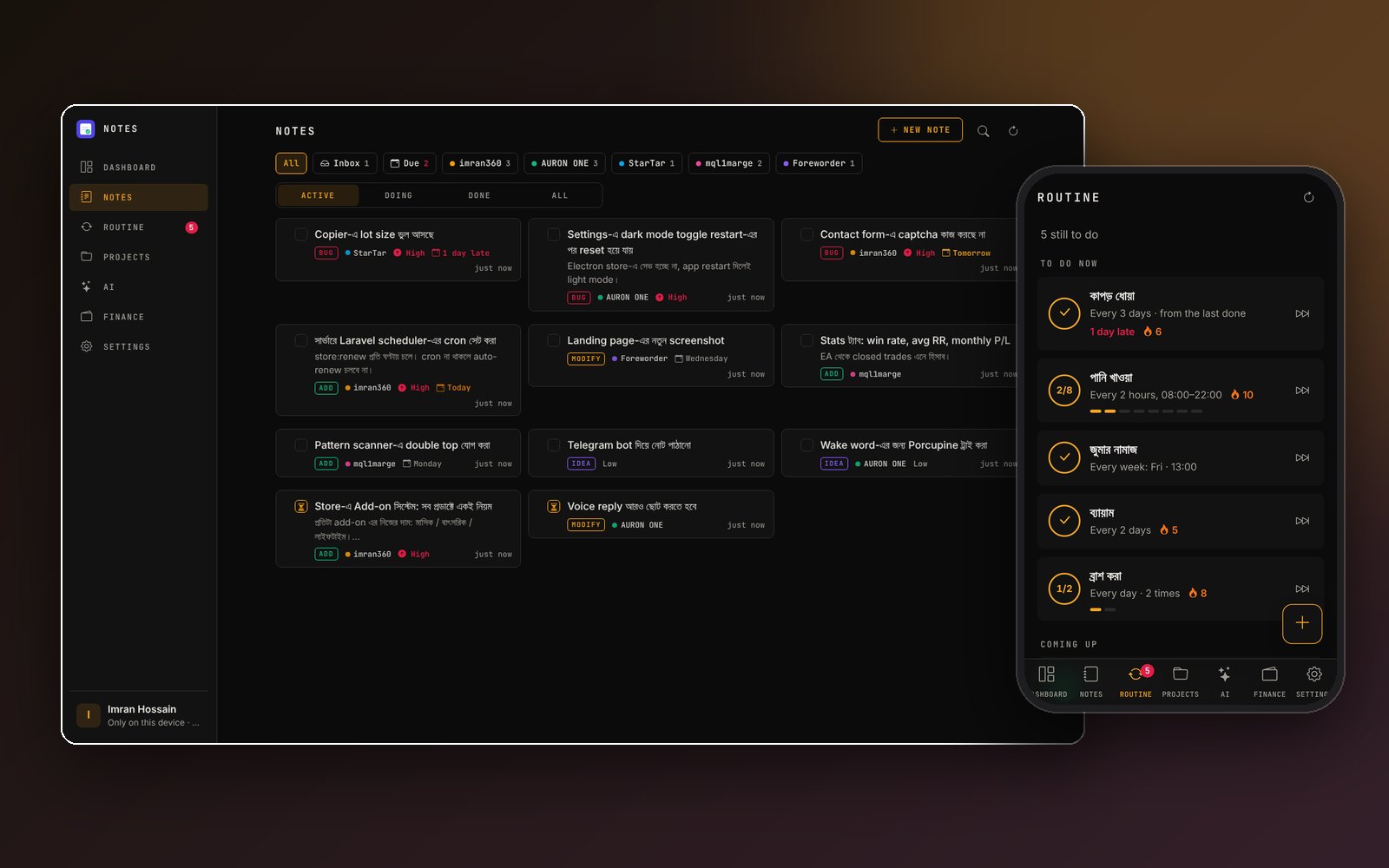
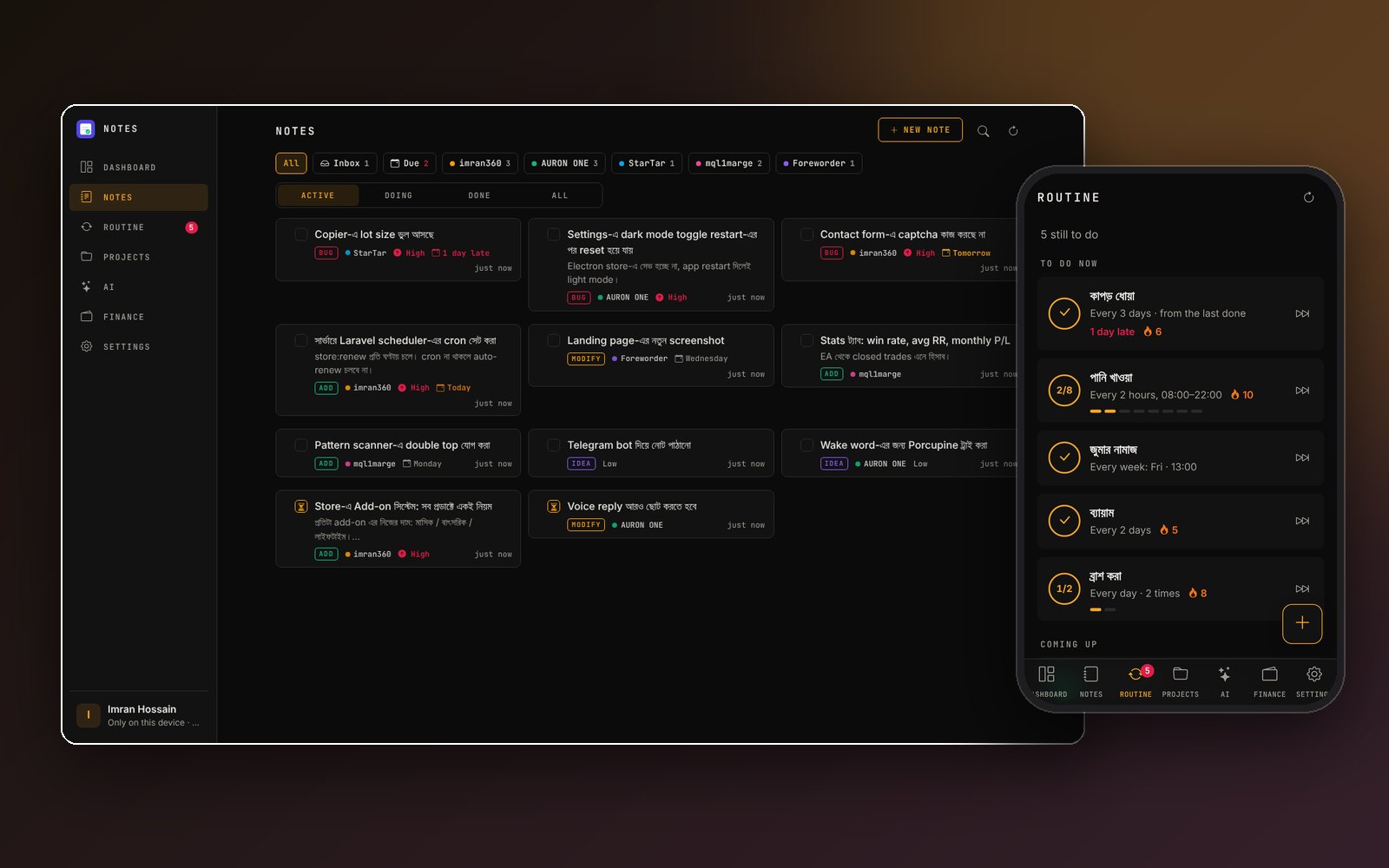
I keep a lot of small things for my projects: a bug in AURON, a feature for the trading tools, a change for this website. Next to that, the things I do every day and where my money goes. Notes is the one place for all of it. You install it on your phone or computer, it opens instantly, it works without internet, and it has an AI assistant you can simply talk to in Bangla or English.
What it does
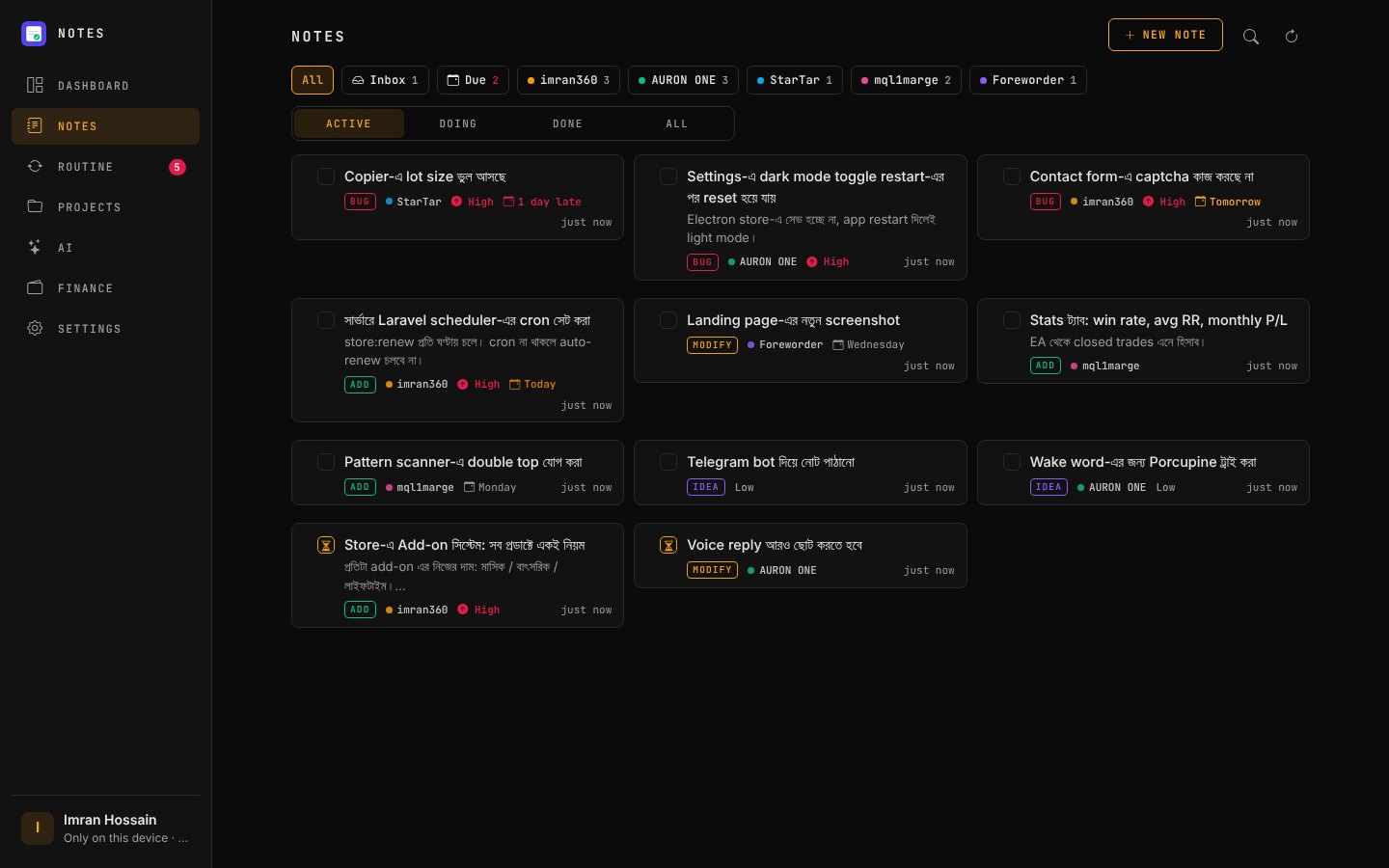
Notes, by project
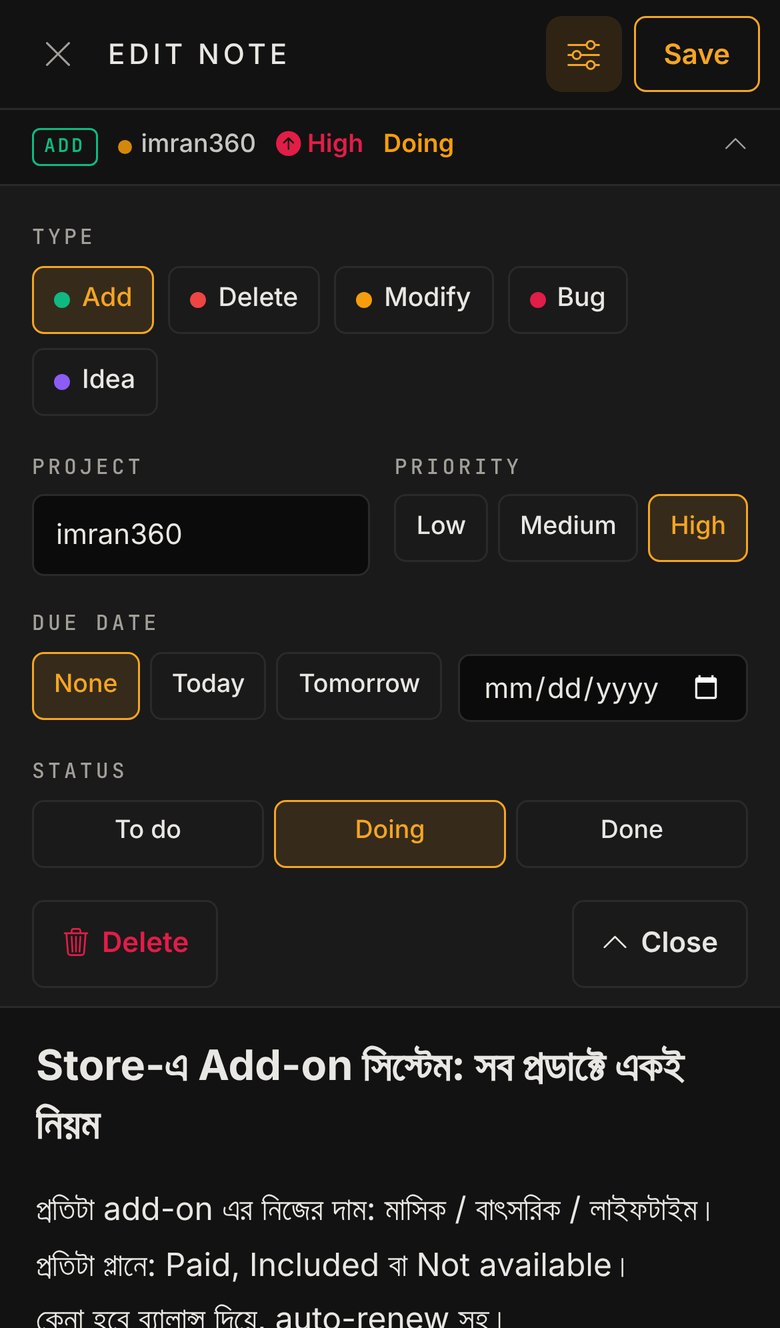
- Every note has a type (Add, Delete, Modify, Bug, Idea), a priority, a status (To do, Doing, Done) and an optional due date. Late and due-today notes stand out.
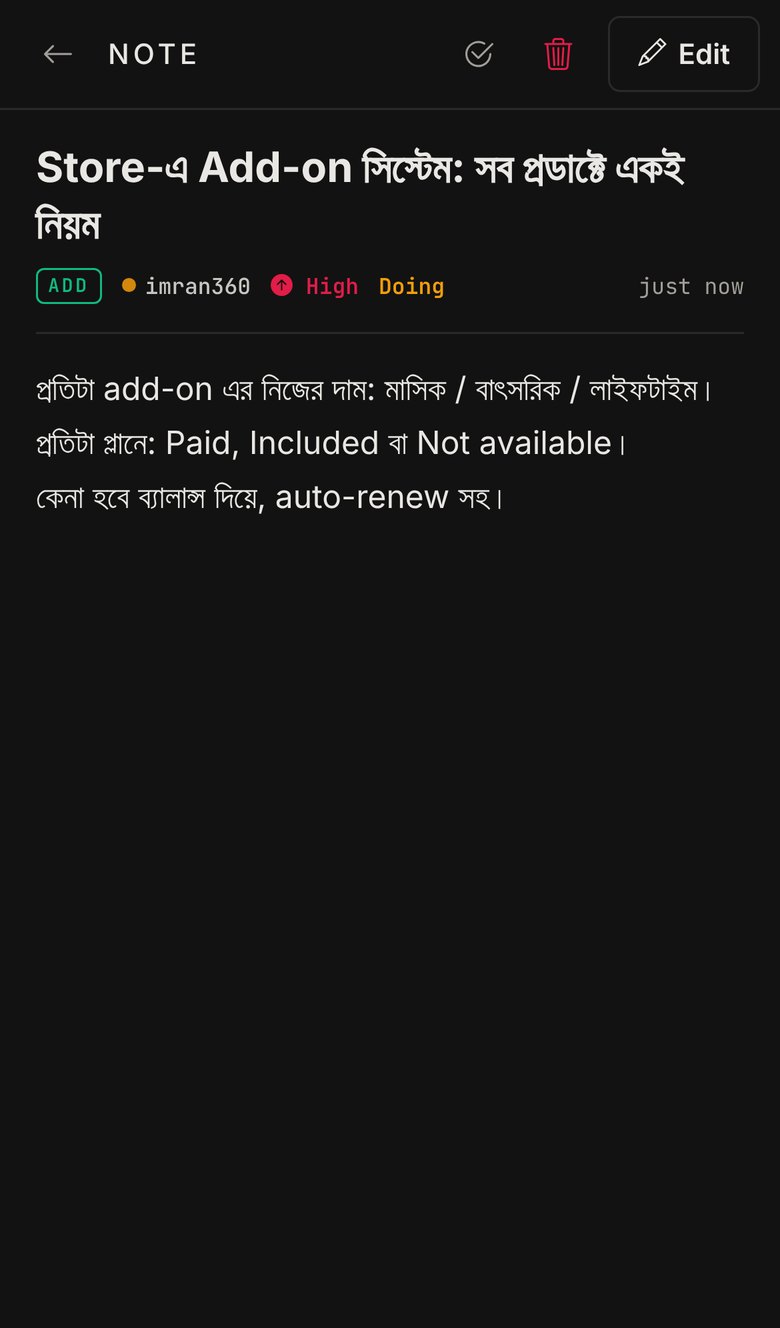
- A note opens full screen, so a long description reads like a page instead of a small scrolling box. Writing is full screen too; type, project, priority, due date and status sit in an options menu at the top.
- Drag notes into your own order, search and filter them, and use the Inbox for loose ideas.
Routines
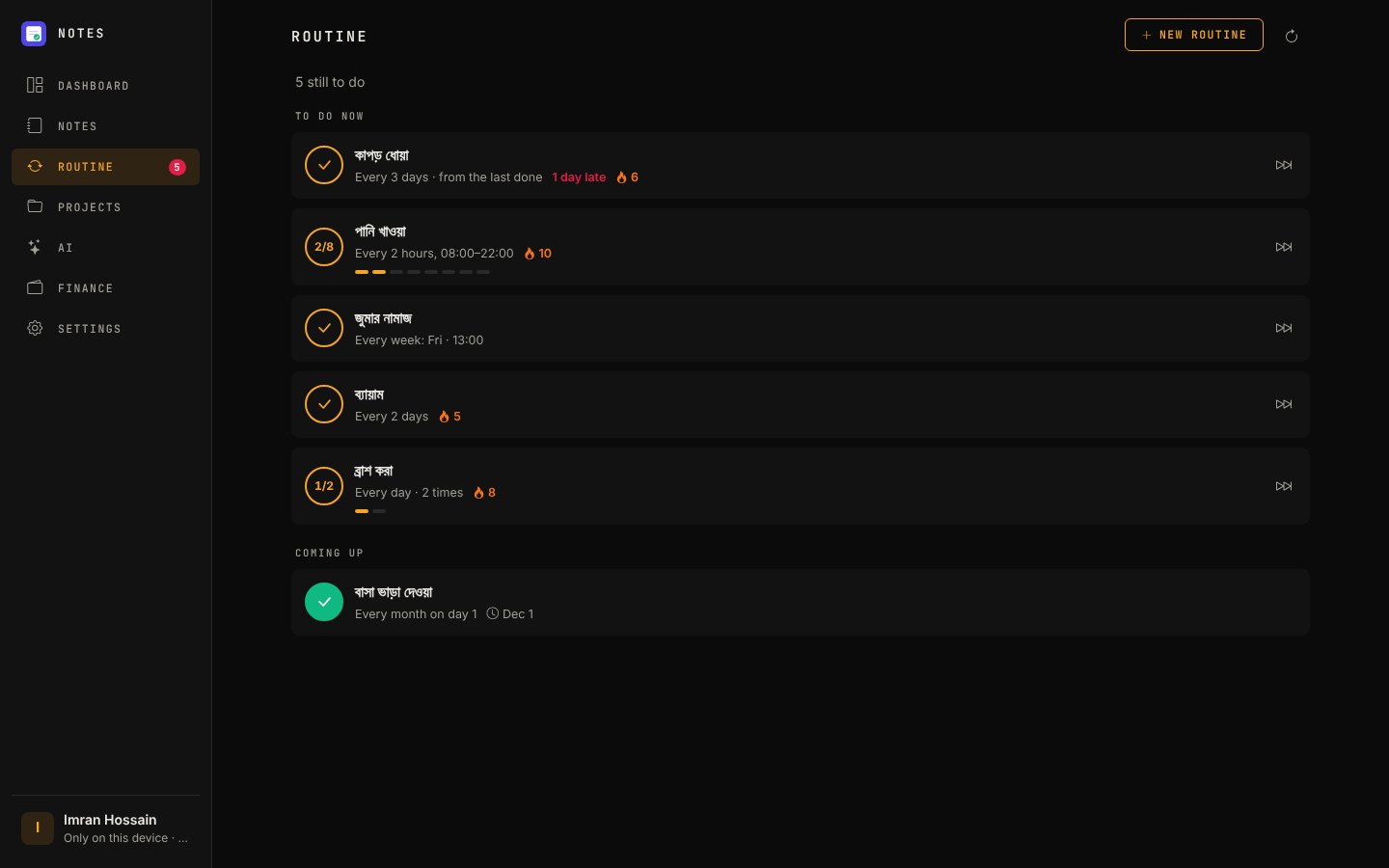
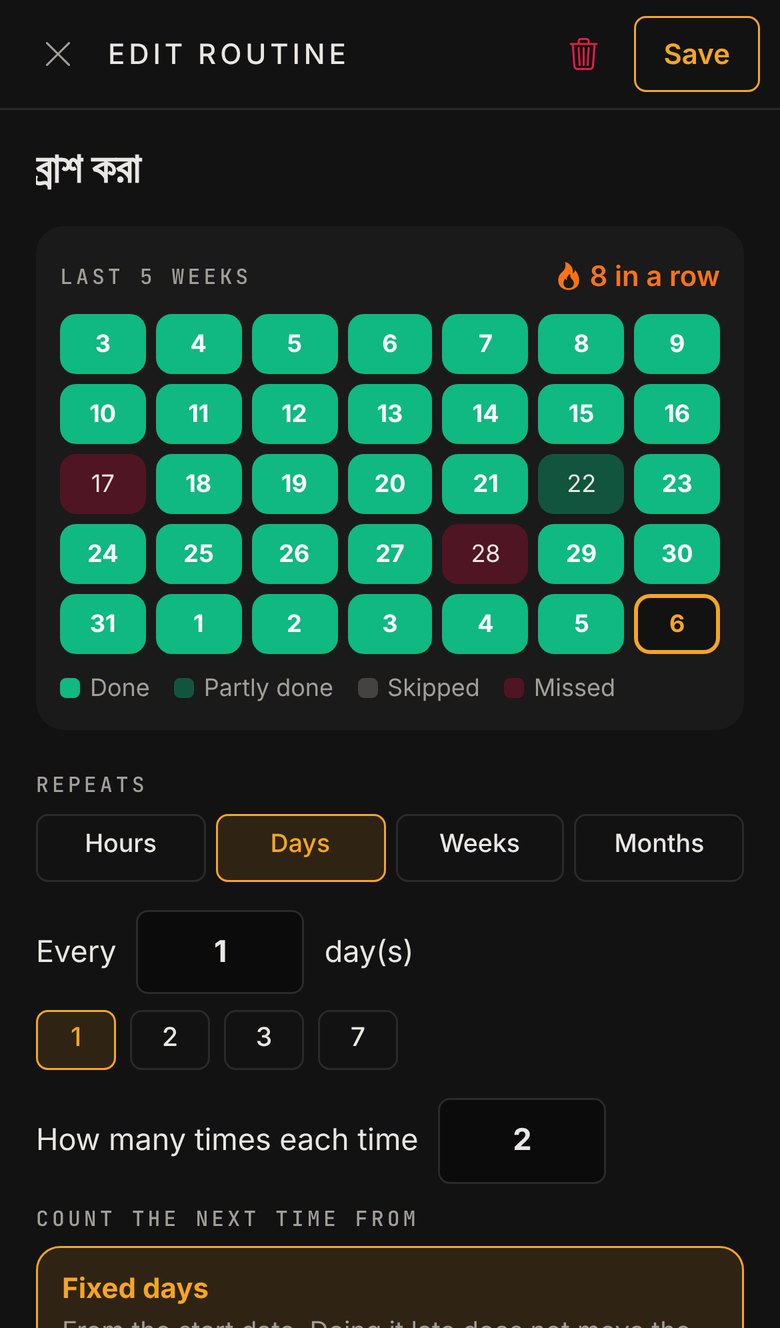
- For things done again and again: brushing twice a day, water every 2 hours, laundry every 3 days, a bill on the 1st of each month.
- Repeat every N hours, days, weeks (on chosen weekdays) or months, as many times each time as needed (1/2, 2/2).
- The next time counts either from fixed days, or from the last time it was really done ("laundry on the 5th → next on the 8th").
- A missed routine can stay pending and show how late it is. Done, Skip and Undo are one tap each, with a streak and a 5-week calendar of done, skipped and missed days.
Projects with an About
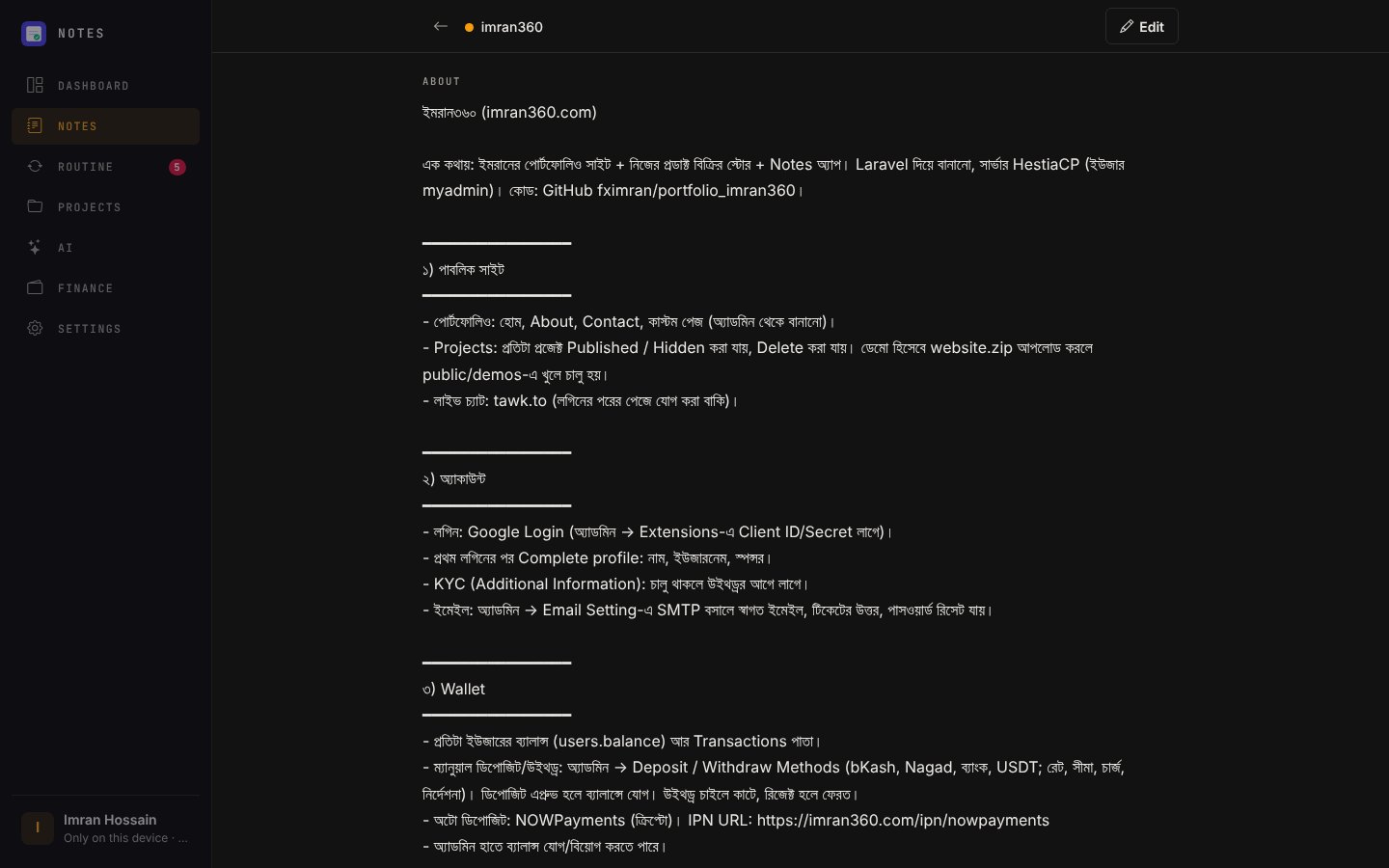
- Each project keeps an About page: what the project is, what it has and how each part works. It is written so that someone who has never seen the project understands it — me later, a teammate, or Claude.
- Team projects: share a project with other people as Owner, Editor or Viewer. Its notes live in the owner's Google Drive.
Dashboard
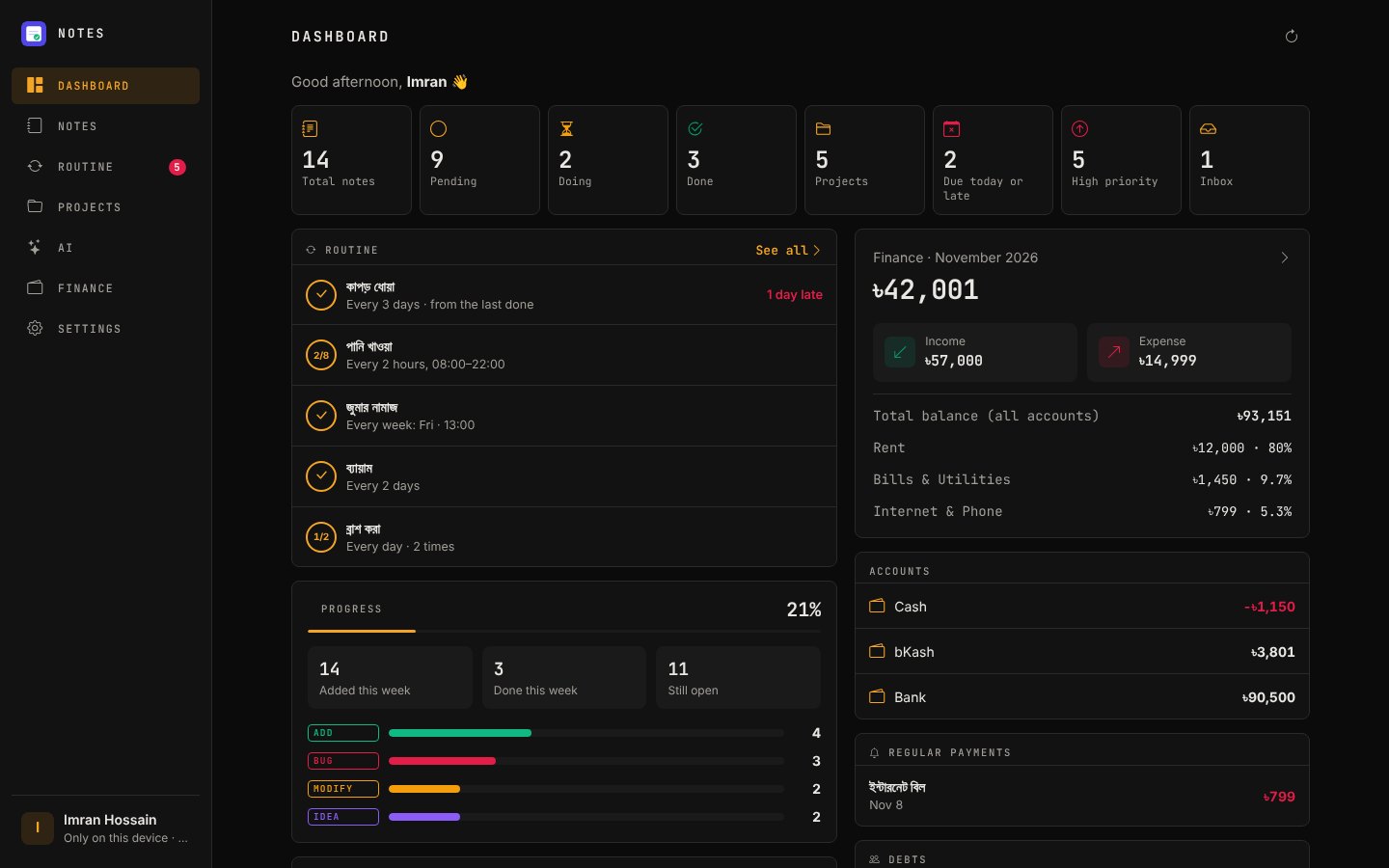
Everything at a glance: open, doing and late notes, today's routines, progress this week, this month's income and expenses, account balances and debts.
Finance
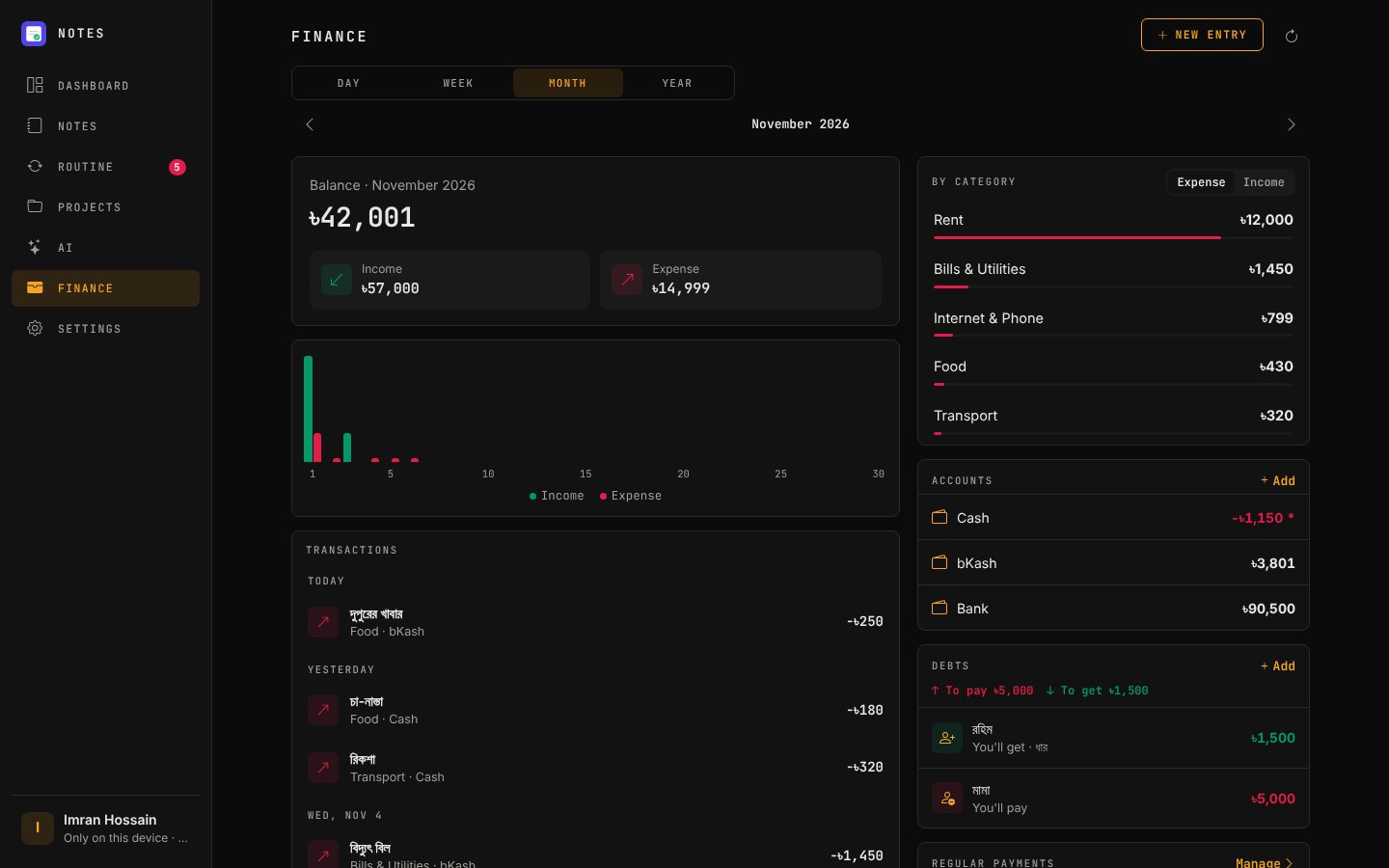
- Income, expenses and transfers across accounts (Cash, bKash, Bank…), with day, week, month and year reports by category.
- Regular payments (rent, internet, salary) that wait as "Due" until paid, and debts: who owes you and whom you owe.
- Any currency, converted at each day's own exchange rate.
AI assistant
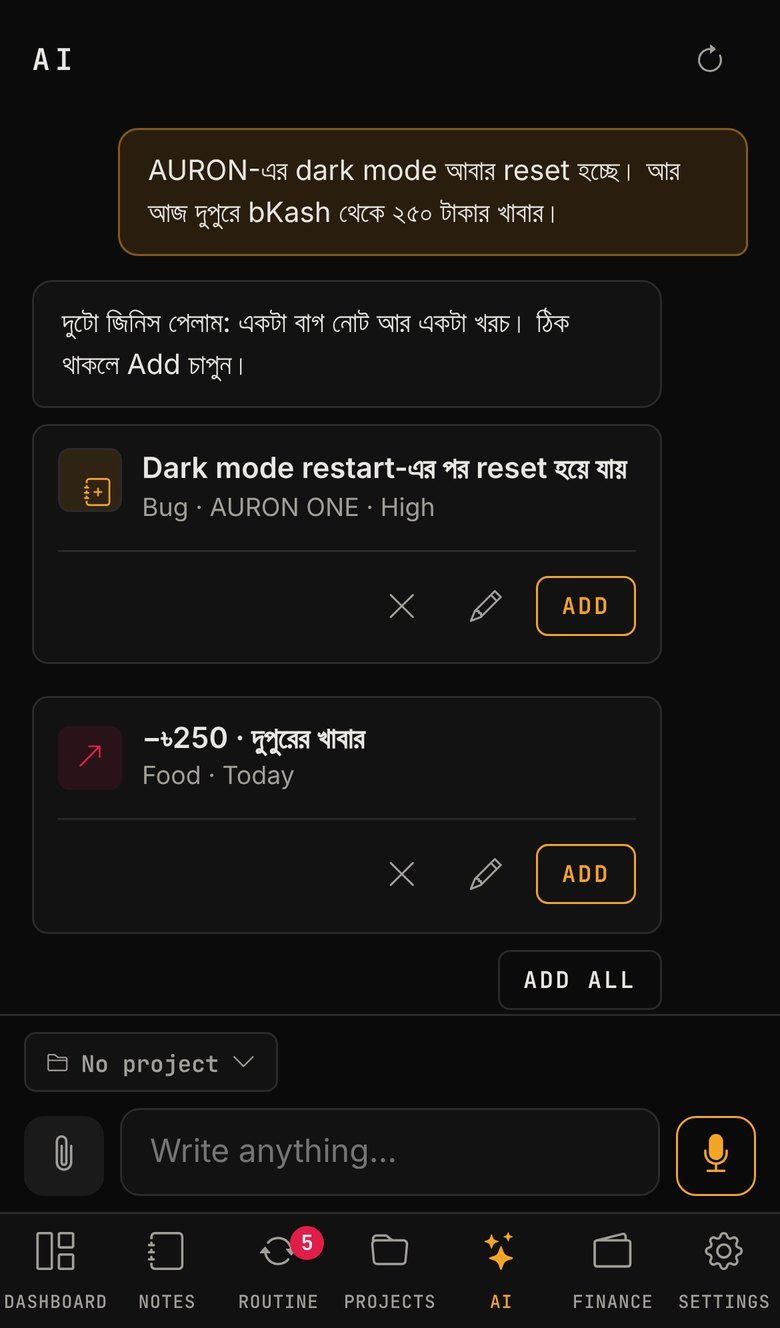
- Write or say "AURON dark mode is broken again, and 250 for lunch from bKash", and it prepares a bug note and an expense as cards to confirm. Nothing is saved until you press Add.
- It reads pictures, PDFs and voice messages: a photo of a receipt becomes an expense.
- It runs on the user's own Gemini key, straight from the browser.
Connected apps
With a personal token, Claude (as a connector) and my desktop app AURON can read and add notes, projects, money entries and project About pages. Claude reads a project's About before working on it, instead of guessing.
Your look, every screen
Compact or Classic style, light or dark, a choice of accent colours. A phone layout with a tab bar, and a computer layout with a sidebar.
How it is built
The app is offline-first. Notes, routines, projects and money live on the device in IndexedDB (Dexie), and a service worker opens the app from the device, so the server is asked only once a day whether the account is still signed in.
Sync goes directly from the device to the user's own Google Drive, with the narrow drive.file permission: the app sees only its own files, and the notes never pass through my server. Every row carries its last-change time and a deletion mark instead of being removed, so two devices merge row by row and end up the same. Each tick of a routine is its own small row, so ticking on the phone and on the computer never overwrite each other.
The connector for Claude and AURON reads the Drive backup on each call and writes each change into its own small file, which the next device sync merges. The backup itself is only ever written by the devices.
The AI calls Google's Gemini API from the browser with the user's own key. Every suggestion is checked against the user's data on the device — real amounts only, known accounts, real dates — before it can be saved.
Behind it is a Laravel 12 site (this portfolio) that handles Google sign-in, the app page, daily exchange rates, team projects, the connector, and selling the app through my own store with plans and licenses.
Built with
Laravel 12 · Alpine.js · IndexedDB (Dexie) · Service Worker / PWA · Google Drive API · Gemini API · MCP (Claude connector) · tested with PHPUnit and Node's test runner (247 tests).
Open the app (sign in with Google, then install it from your browser)
Gallery